 Broadcast Deck
 Broadcast Deck Studio · Mac
A switcher that runs the show.
Cameras, capture cards, clips and remote guests on big buttons. Layouts, titles and four keys over the top. An open, spots and a close that play themselves. Record it, stream it to six places at once and send it vertical for social, all from one Mac.
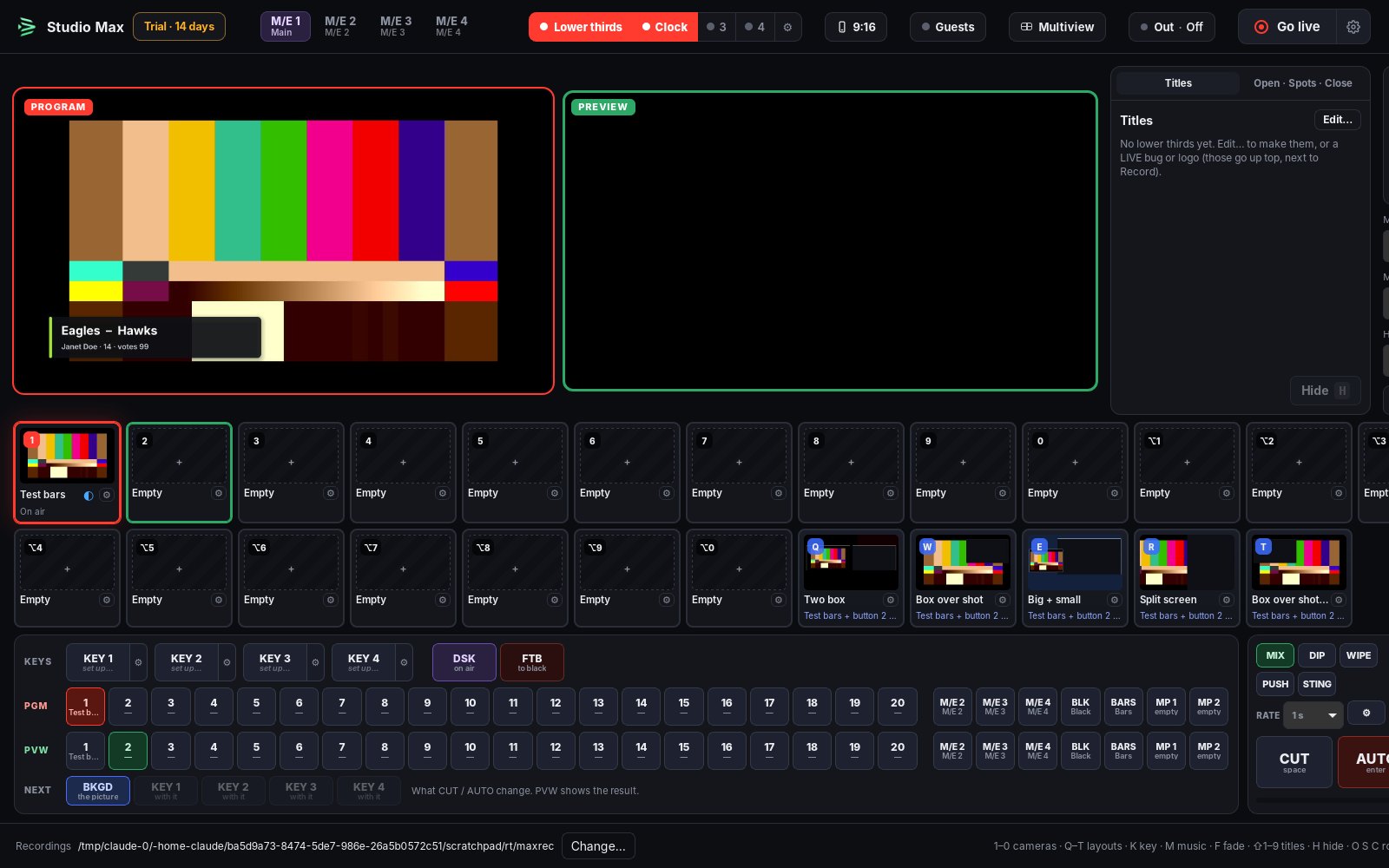
What a live show actually needs
Big camera buttons
Cameras by name, clips cued on their first frame, cut or fade. Keys 1 to 0 take them; everything comes back the way you left it.
Two box, box over shot, big + small
Built layouts with borders, backgrounds and looping video, ready on their own buttons.
Lower thirds, LIVE bug, logo
Name and title, one line, a live bug or your own PNG design, each on and off with a key or the Stream Deck.
Open, spots and close
The open rises from black and hands to a camera. Spots run back to back. The close fades out to black as its last clip ends.
Guests by link
Send a link; the guest's camera and microphone come in as a source. Guest grids fill themselves.
Stream Deck and multiview
A Stream Deck plugin with live feedback, an ATEM-style multiview, and screens for every TV or projector.
Lite, Pro and Max
One engine under all three, so a fix reaches every edition together. A Max key opens Pro and Lite too.

- Layouts, titles, open / spots / close, music
- Guests by link
- Record H.264 and go live to one place
- Stream Deck
- Everything in Lite
- DeckLink and UltraStudio in and out
- Four layered downstream keys
- NDI in and out, SRT, the mixer
- Dante and MADI
- Six destinations at once, vertical 9:16

- Everything in Pro
- Program and preview buses, T-bar, mix, dip, wipe, push, stinger
- Four upstream keys per M/E, two media players
- ISO recording and NDI per source
- Clean program out and recorded
Edition comparison
| Feature | Lite | Pro | Max |
|---|---|---|---|
| Sources | |||
| Camera buttons | 5 | 10 + 5 layouts | 10 + 5 layouts, 20 on the buses |
| USB cameras, clips, test picture | Yes | Yes | Yes |
| Guests by link | Yes | Yes | Yes |
| DeckLink / UltraStudio inputs | No | Yes | Yes |
| NDI and SRT sources | No | Yes | Yes |
| On screen | |||
| Layouts, titles, open / spots / close, music | Yes | Yes | Yes |
| Downstream keys (layered) | No | 4 | 4 |
| M/E banks with upstream keys | No | No | 4 M/Es, 4 keys each |
| Transitions | Cut, fade | Cut, fade | Mix, dip, wipe, push, stinger, T-bar |
| Out | |||
| Multiviews | 1 | 2 | 4 |
| Recording | H.264 MP4 | H.264 MP4, vertical | Program and clean, ISO per source |
| Going live | 1 destination | 6 at once, vertical 9:16 | 6 at once, vertical 9:16 |
| Card outputs, NDI out | No | Yes | Yes |
| Dante / MADI | No | Yes | Yes |
| Stream Deck, control address | Yes | Yes | Yes |
Pre-release. Features may move between editions before launch.
Four keys, layered
Key 1 sits at the bottom and key 4 on top, like a hardware keyer. Each key takes a fill and key from a card, NDI with alpha, or a Broadcast Deck GFX channel on the same Mac.
- Named buttons ("Lower thirds", "Bug", "Scores") in the top bar and on the Stream Deck.
- Clip, gain, premultiplied and invert for any graphics system, ProPresenter included.
- Auto or cut, each key with its own fade, and they fade to black with the program.
- Control address: /v1/dsk?n=2&do=auto from Companion or a script.