 Broadcast Deck
 Broadcast Deck GFX 1.0 · Mac
Broadcast graphics, with their key.
Design templates, bring in Photoshop and SVG files, animate them on a keyframe timeline, then run them from a rundown on four channels. Each channel leaves as fill and key on a DeckLink card, as NDI with transparency, or straight into Broadcast Deck Studio.
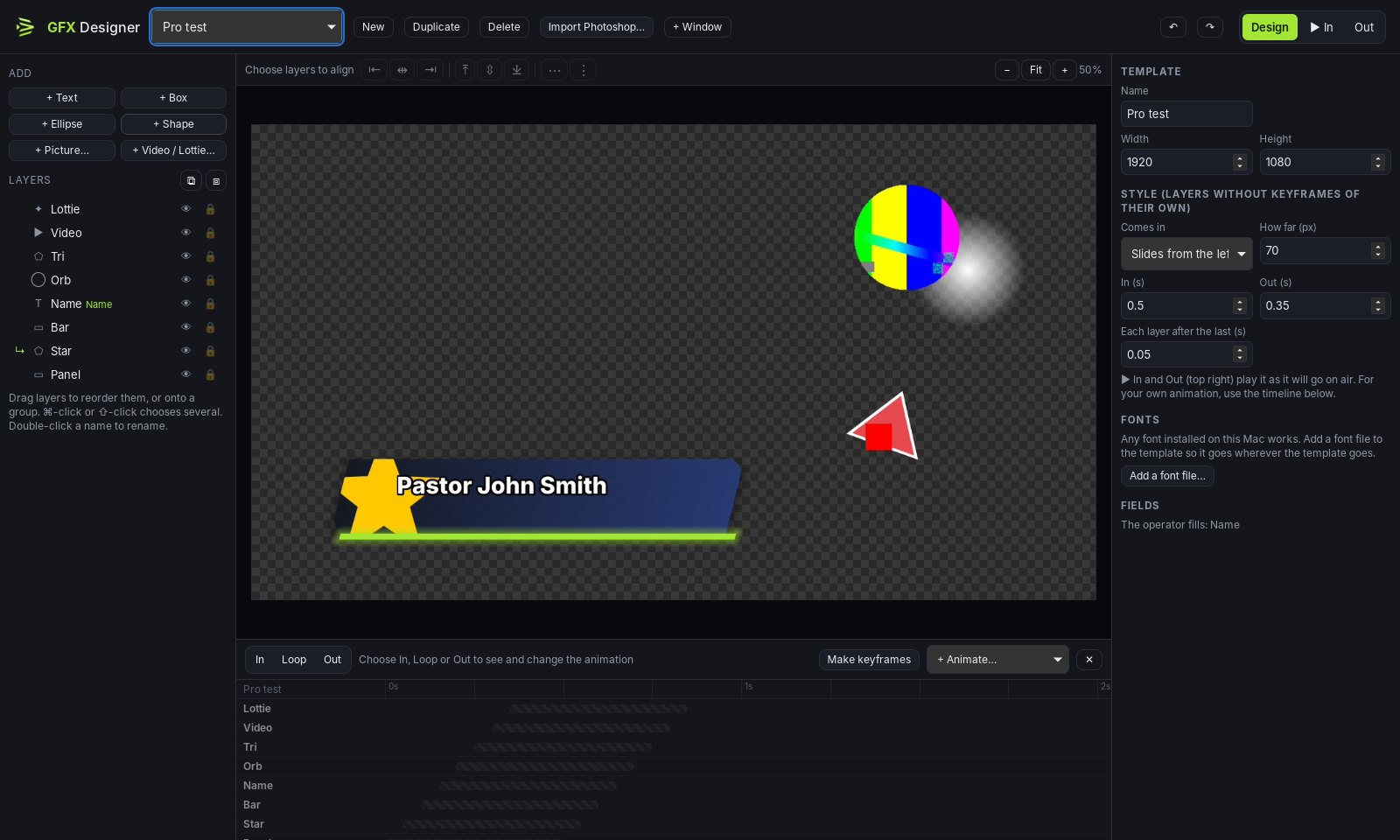
A designer made for on-air work
Layers behave the way designers expect from Photoshop, and every template plays exactly as it will look on air.
Photoshop and SVG
Layers, groups, text and positions come in as editable layers. Fonts travel with the template.
Professional drawing tools
Per-corner radius, skew, polygons and stars, linear and radial gradients, outline, glow, shadows and clipping masks.
Keyframe timeline
In, Loop and Out with easing (back, bounce, elastic). Slides really slide, from off the page, and wipes reveal by crop.
Video with alpha and Lottie
ProRes 4444, HEVC with alpha and WebM inside a template, plus Lottie animations from After Effects.
A designer per channel
Up to four designer windows. A template used in two places can be copied or edited everywhere.
Field-rate rendering
At 1080i each field is drawn at its own moment and woven for the card, so motion is smooth on air.
A rundown the operator can trust
Build the show as a numbered list. Take the next item with the space bar, any item by number, or from a Stream Deck. Items can hold for a time and take themselves out.
- Numbered rundown with edit, reorder, delete and undo; save and open rundowns as files.
- Slots per channel: several graphics layered on one channel at once.
- Stream Deck plugin: take next, any item, any slot, clear.
- Control address for Companion and automation: take, next, out, clear, text and data.
Words that fill themselves
Link any word in a template to a cell, like {=Scores[Home].Points}, and it updates on air when the source changes.
| Source | Kept up to date |
|---|---|
| CSV, Excel, JSON, XML files | Whenever the file is saved |
| Google Sheets, web feeds | On a timer you set |
| Tables typed in GFX | As you type, live on air |
| The control address | From scripts and scoreboards |
Four channels, three ways out
Fill and key
The card's own keyer on one connector, or fill and key on two connectors of any card. Premultiplied or straight.
NDI with transparency
For vMix, TriCaster, OBS and any switcher on the network.
Straight into Studio
On the same Mac through shared memory, uncompressed, about a frame late. Studio's four keys take one channel each.