Everything between the camera and the viewer.
Live switching, remote callers, broadcast graphics, SRT contribution and 24/7 channel playout, from one maker. Built on Blackmagic DeckLink, Dante, NDI and SRT, and made to run all day without anyone babysitting it.
One family, from the first camera to the last viewer
Each app does one job well and stands on its own. Put them together and they hand off to each other with nothing in between: no capture cards looped back, no NDI where it isn't needed.
Guests join by link. Each one leaves on their own SDI port with a clean mix-minus back.
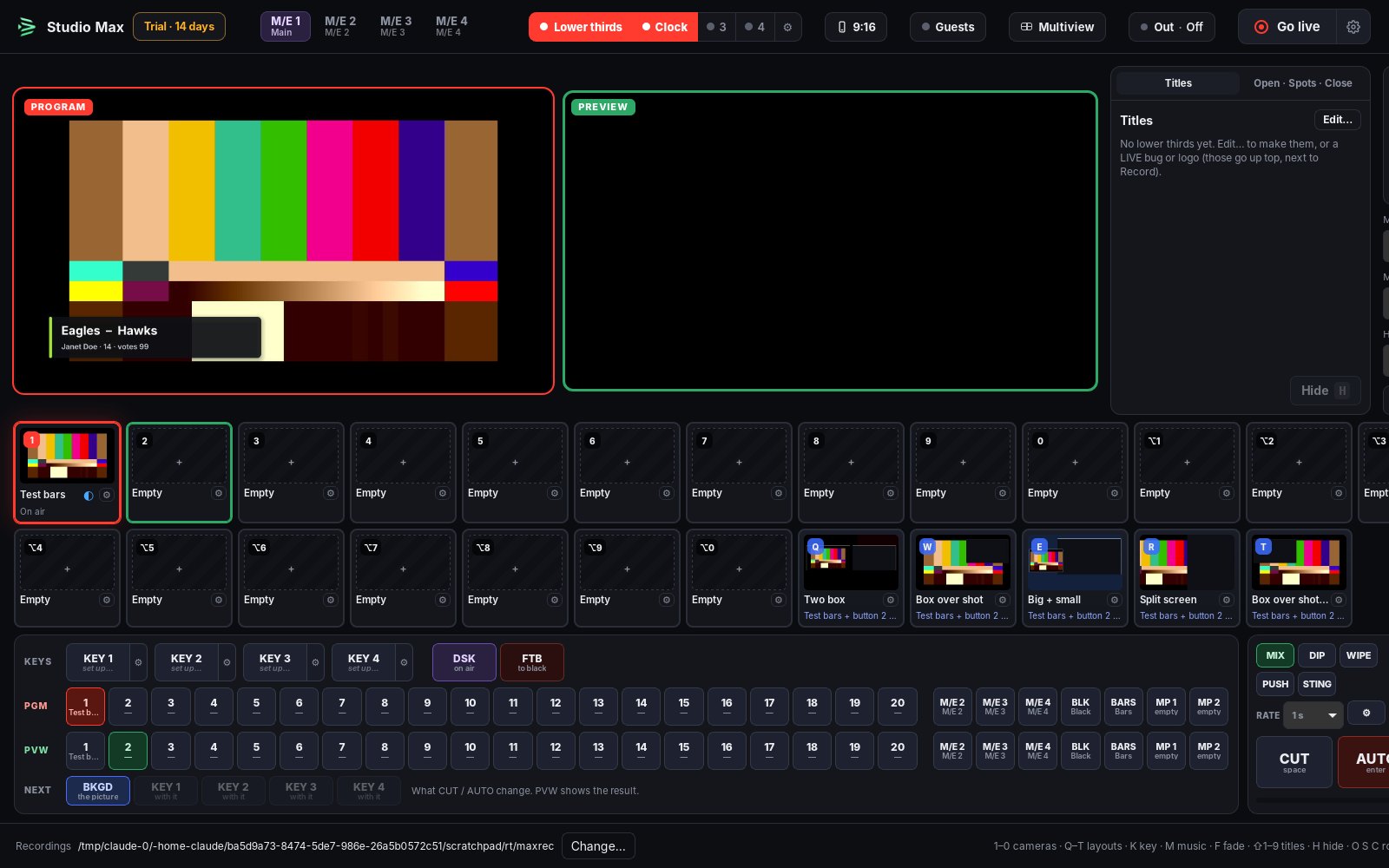
Cameras, cards, clips and guests on a real switcher, recorded and streamed.
Four channels of graphics with their key, straight into Studio's four keys.
Encode once, send to every station that needs the feed, with a backup path.
The channel runs 24/7 on a schedule. The live show goes to air on time.
HLS for apps, restreams to every platform, MP3 and AAC for radio.
Pick the part of the chain you need
Every desktop app comes in editions, so a church, a school or a network buys the size that fits and moves up with a new key. No reinstalling.

Broadcast Deck Studio
A switcher that runs a show: cameras and cards, layouts, titles, an open, spots and a close, guests by link, recording and streaming.

Broadcast Deck Call
Callers by link, each out of their own capture card port with only their voice, hearing the show without themselves.

Broadcast Deck GFX
A designer, a rundown and four output channels: lower thirds, bugs, clocks and full screens, with their key, on cards, NDI or straight into Studio.

Broadcast Deck SRT
SDI or HDMI in, encoded once, out to every SRT destination. SRT back out to SDI, on a schedule, with captions, timecode and failover.

Broadcast Deck Playout
A complete TV channel on one server: the schedule, breaks with spots and IDs, live shows, On Demand for your apps and restreams, from one admin.
Broadcast Deck Radio
An audio station with crossfades, even loudness on every song, live presenters, MP3 and AAC streams and the music log your licensing bodies ask for.
Made to hand off to each other
Graphics with their key, no cables
On the same Mac, a GFX channel goes straight into Studio Pro or Max with its transparency, about a frame late and uncompressed. Studio's four layered keys take one GFX channel each: a full screen on key 1, lower thirds on key 2, a bug on key 3.
Callers on the switcher's buttons
Every caller leaves Call on a port of their own with only their voice, so they land on Studio's camera buttons like any camera. They see your program and hear the show without themselves.
Contribution in both directions
Send a finished show to stations over SRT, or bring a remote venue into Studio as a source, with a backup path and the receiver's stats on screen.
Live shows that air on schedule
Schedule a live show on the channel and it goes to air on time from Studio, OBS, vMix or a hardware encoder. If the feed drops, the schedule carries on.
The equipment you already own
Broadcast Deck talks to the hardware in real control rooms, and runs for days at a time on an operator's Mac.
- Blackmagic DeckLink and UltraStudio in and out, fill and key on one connector or two, genlock status, card profiles on Duo 2, Quad 2 and 8K Pro.
- Dante and MADI through Dante Virtual Soundcard, Dante cards or a MADI interface: up to 64 channels each way.
- NDI in and out, with alpha for graphics.
- Stream Deck plugins for every desktop app, a Bitfocus Companion module and a local control address for automation.
- House formats: 1080i 59.94 by default, 1080p, 720p, NTSC and PAL rates. Interlaced graphics are drawn field by field.
- Apple's hardware encoders for H.264, HEVC and ProRes, so a long show leaves the processor free.
Try everything for 14 days
Every desktop app opens with a free 14-day trial of its biggest edition. Then buy it outright or subscribe monthly or yearly. One key covers two computers, and a bigger edition's key opens the smaller ones.
| After the trial, without a key | Still works |
|---|---|
| Studio: recording and going live pause | Setup, switching, rehearsal |
| Call: callers can't go on air | Setup, test calls |
| GFX: outputs turn off | Designer, rundown, data |
| SRT: channels can't start | Setup, devices, schedule |